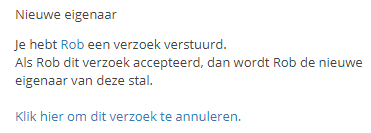

Change stable owner
If a stable has changed owners, you can change the owner in Stalmanager.
Only the current owner of the stable can assign the new owner.
If you want to assign someone as the new owner, it is important that this person is already a member of the stable. If the desired new owner is not yet a member of the stable, you can click here to learn how to add them to the stable.
Change owner
To change the owner, first navigate to "Cancel membership" via "Settings".
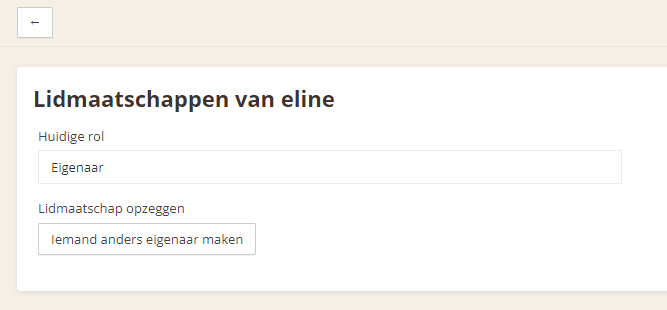
Use the "Make someone else the owner" button.
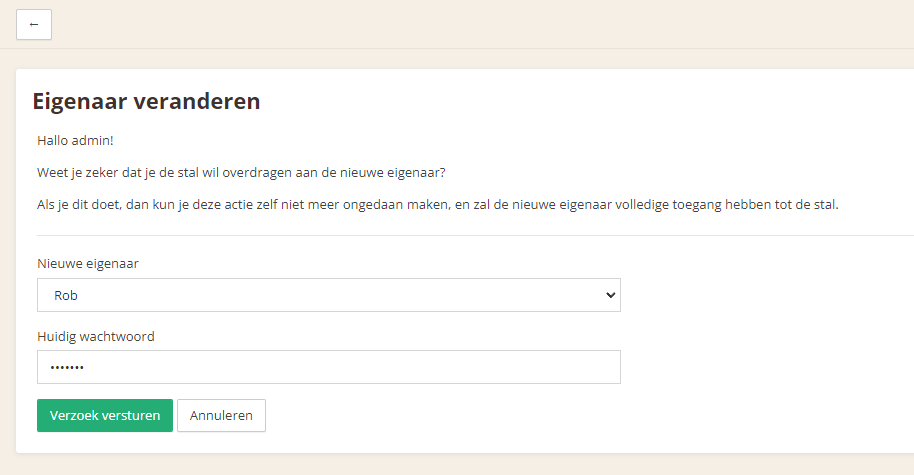
You can now select the new owner from the list of existing stable members.
For security, confirm the change with your password.
Use the "Send request" button to send an invitation to the new owner.
The new owner will receive an email containing a link, which is required to accept the invitation. Once the new owner has accepted the invitation, the old owner's role will change from owner to administrator.
Once there is a new owner, the old owner can leave the stable if desired. Click here to learn how to leave the stable.
Cancel request
If the request has not yet been accepted, you can cancel it.