

Manage permissions
Admins and the stable owner can change whether users have full access or limited access to each horse. To do this, go to "settings" and then to "manage users". Here, select the user whose permissions you want to change and click "Permissions".

On this screen, you can see a list of horses, with two checkboxes next to each horse. The one on the left indicates limited access and cannot be changed. Every user always has either limited access or full access, so limited access cannot be taken away. The one on the right indicates whether the user has full access and can be changed by clicking it. Checked means full access, and unchecked means no full access (and therefore limited access).
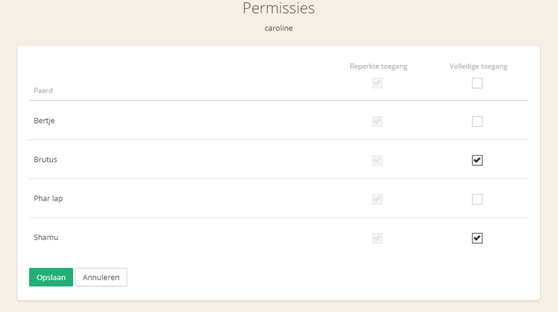
Once everything is set as desired, you only need to save by clicking "Save".