

Managing users
You can manage the users in your stable, allowing you to easily change users’ roles. You can also remove users from your stable if necessary.
To manage the users in your stable, navigate to "Manage users" via "Settings".
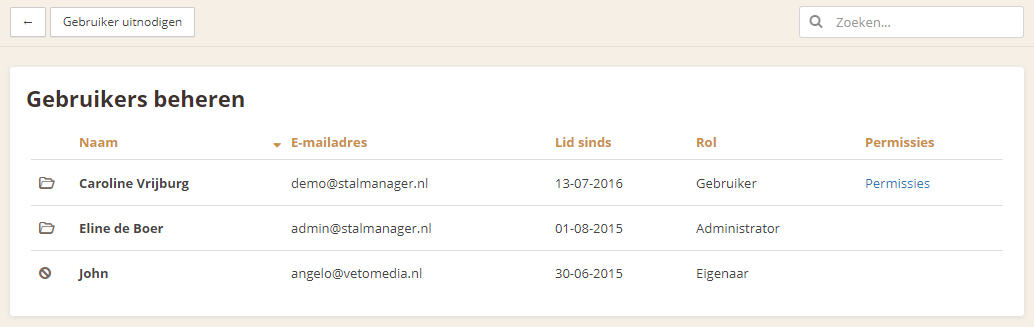
This is the overview of all users. To make a change to a user, click the user’s name.
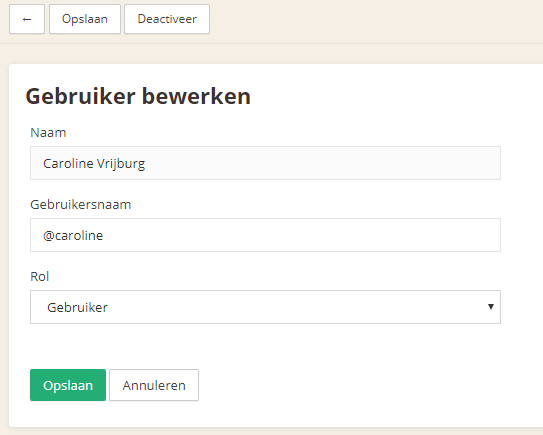
Here, you can change the user’s role or deactivate the user.
Change the role
You can change a user’s role.
There are a few different roles:
User
A user can use all features within Stalmanager, except changing the stable’s settings.
Administrator
An administrator can do everything a user can, but can also change the stable’s settings. An administrator can also invite new users.
Select the user’s new role and confirm the change with the "Save" button.
Deactivate a user
Deactivate a user with the "Deactivate" button.
When you deactivate a user, you will first be asked to confirm. Once confirmed, the user will be deactivated. A deactivated user can no longer log in to the stable.
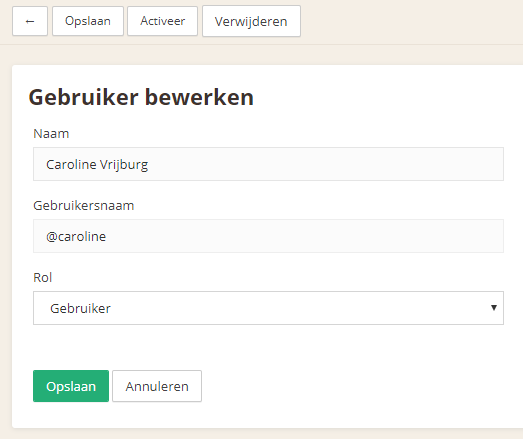
When a user has been deactivated, 2 new buttons appear:
Activate
Use this button to activate the user so they can log in to the stable again.
You will be asked to confirm when you want to activate a user again.
Delete
Use this button to completely remove the user from the stable.
You will be asked to confirm this action as well; the user will be deleted after confirmation.